
 Build-Estimate-Quote
Professional quotations. In just a few clicks.
BEQ is quotation software for UAE businesses: create high-quality, client-ready quotations in minutes — for any business, from construction companies and suppliers to shops and service providers. Manage your pricing, create quotes effortlessly, and access them anytime, anywhere from your BEQ account.
For main contractors, subcontractors, MEP contractors, suppliers, shops, service providers, and more.

How BEQ works

BUILD
Set up your business once and keep everything organized in one place.
- Add your company or organization details and keep your business information ready for every quotation.
- Add your clients quickly and keep their information organized.
- Add your products and services automatically in one click — no need to enter everything manually.
- You can also add and manage everything manually whenever you need.

ESTIMATE
Select what you want to price and let BEQ handle the calculations.
- Select your products or services and quantities with one click — no need to add them manually every time.
- Add labor, overhead, and profit to build a complete estimate.
- Add additional costs or extras whenever needed.
- Track your internal costs and keep your pricing organized.
- See your estimate clearly before turning it into a customer-ready quotation.

QUOTE
Transform your estimate into a polished quotation designed for your business.
- Create a professional quotation from your estimate in just a few clicks.
- Customize the look and feel of your quotation to match your style.
- Adjust the layout, colors, and presentation to create a quotation that represents your brand.
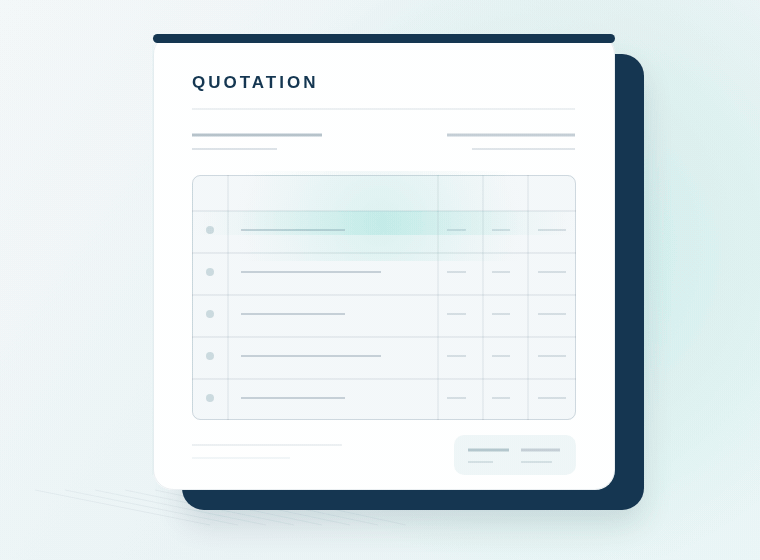
- Present your products and services clearly with organized item details and quantities.
- Show a clear final total for your customer.
- Generate a professional quotation that is ready to share with your customer.
From Setup to Quotation
Nine steps, in order, from setting up your business information and pricing through to the professional quotation you send. Everything you save in the early steps is what makes the later ones quick.

Set up your company
Add your company or organization details once. BEQ stores them and reuses them on every quotation you create, so you are not retyping your address, TRN or bank details each time.
- Company name, address, phone, email and website
- TRN and trade license details
- Bank name, account number and IBAN
Add your clients
Save the people and businesses you quote to. Selecting a saved client on a new quotation fills their details straight in, instead of you typing them again.
- Company name and contact name
- Email, phone and address
- City, country and TRN
Set quotation defaults
Configure the information that repeats on every quotation once, rather than entering it every time you send one. Set it once, reuse it every time.
- VAT value and whether VAT shows on the quotation
- Payment terms, quotation notes and exclusions
- Quotation validity in days and your quotation number prefix
Build the price library
Save your materials, products, services and labor items with their units and prices in one reusable pricing library. Your prices are already there when you need them, instead of being retyped per quotation.
- Materials, products, services and labor items
- Units, cost prices and item codes
- Price history kept whenever a price changes
Import prices
Already have your prices in a spreadsheet? Upload your existing pricing file from your computer and import it, instead of adding every item one by one.
- Upload an Excel (.xlsx, .xls) or CSV file
- BEQ reviews the file and shows what will be added or updated before anything changes
- Up to 5,000 rows per import
Build the estimate
Select items from your price library and set quantities, or add items manually. Add labor, overhead and profit, plus any extras the job needs, and BEQ calculates the totals.
- Select saved items or add new ones by hand
- Set quantities for each line
- Add labor, overhead, profit and extras
- Your internal costs drive the calculation
Generate the quotation
Turn the estimate into a professional, client-ready quotation that presents your products and services clearly, with a clear final total.
- Built from the estimate in a few clicks
- Items, quantities and totals presented clearly
- Your customers see the quotation, not your cost breakdown
Customize the quotation
Make the document look like your business: choose the layout, font and colors, and set the quotation fields you want to show.
- Layout and item presentation style
- Font, font size, text and accent colors
- Your logo, stamp and signature
- Configurable quotation detail headings
Keep everything saved
Your company information, clients, price library and previous quotations stay in your BEQ account. Sign in later and carry on from where you left off.
- Company information and clients
- Price library and saved pricing
- Previous quotations and their details
- Quotation defaults for the next one
Set it once. Reuse it every time.
Most quote generators make you build the document every time. BEQ is built so the work you have already done is waiting for you.
A basic quote generator
- You build the document.
- Next quotation, you start over.
- Your prices, clients and terms live in whatever file you last used.
With BEQ
- You set your business information and pricing once.
- BEQ saves it, and reuses it on the next quotation.
- Your clients, price library and defaults are ready when you sign back in.
See the full feature list , or read how BEQ fits your trade.
Frequently asked questions
- Does BEQ handle VAT and TRN on quotations?
- Yes. You set your VAT rate and TRN in your company profile and quotation defaults. BEQ applies the VAT rate to the quotation subtotal and shows the VAT amount and total. BEQ is a quotation and estimating tool, not an official tax filing system or an accredited e-invoicing provider.
- Can I export quotations as PDF?
- Yes. Every quotation can be exported as a branded, client-ready PDF with your company details, logo, and the line items, totals, payment terms, notes, and exclusions you choose to show.
- Can I import prices from Excel or CSV?
- Yes. Upload an Excel (.xlsx, .xls) or CSV file with up to 5,000 rows. BEQ previews what will be added or updated before anything changes, so a mismapped column is caught before it reaches your price library.
- Is there a free trial?
- Creating an account is free. Every new account gets exactly one free quotation PDF download; after that free download is used, a subscription is required for additional quotation PDF downloads. You can cancel a subscription from your account settings.
- Can I export quotations as editable Word documents?
- Yes. BEQ lets you export quotations as editable Word documents, so you can make further changes to the document when needed.
- Can I customize the design of my quotations?
- Yes. BEQ lets you customize your quotation design, including colors, layout, tables, and company branding, to create professional quotations that match your business identity.
- Can I keep my internal costs and profit margins private?
- Yes. BEQ allows you to track costs, overhead, and profit internally while keeping this information private from your clients. Your quotation shows only the information you choose to include.
- Can I manage reusable products and services?
- Yes. BEQ includes a Price Library where you can organize your products and services, manage their prices, and reuse them when preparing new quotations.
